Sedie Betting Rules
The objective of the game is to acquire a winning pattern or combination in accordance to the color specifications that is assumed to be accurate with the player’s bet.
Over a long period of time, the game is likely to average a return to the player of 98% of the total bets made.
How to Play
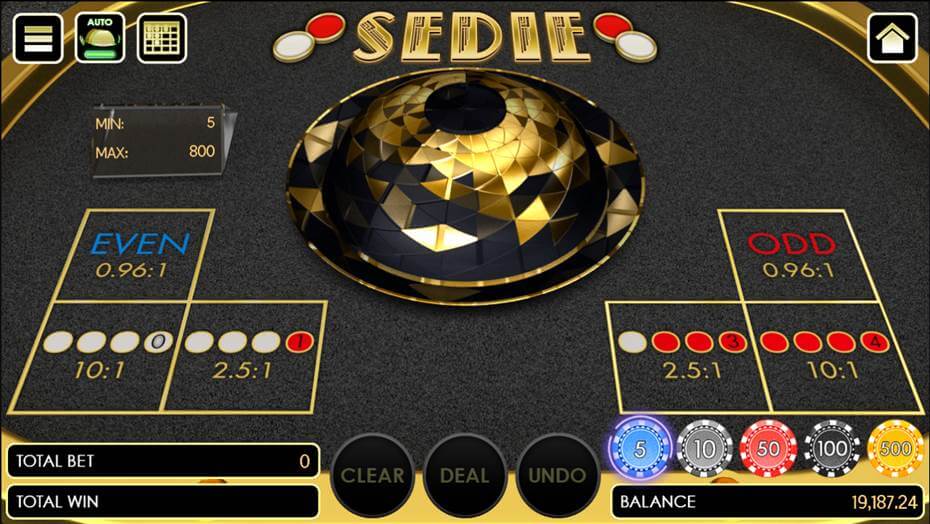
Figure 1: Sedie game
Before the main game displays, the player should select his preferred table limit. At the beginning of the game, an audio will be heard, “Place your bet please”. The player may start placing the chips on the betting options.
The available bets are divided into six; 4 white, 4 red, 3 white & 1 red, 3 red & 1 white, odd, and even. The player can play individual or combination bets.
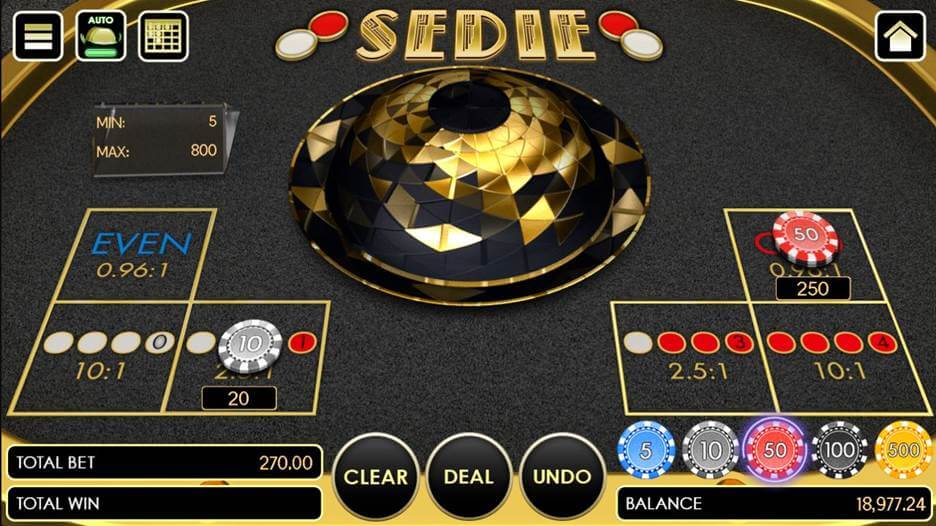
Figure 2: Sedie game with bets placed
When the bets are all ready, the action buttons will be enabled. The last bet that was placed can be undone by clicking the Undo button, while all the bets can be removed by clicking the Clear button. The whole chip amount in a certain betting option can be placed back in the Chips Selection by clicking it on hold.
To shake the bowl, the player should click the Deal button and swipe the bowl. An Auto Play button is also available in the game for the player to have automatic shake after clicking deal.
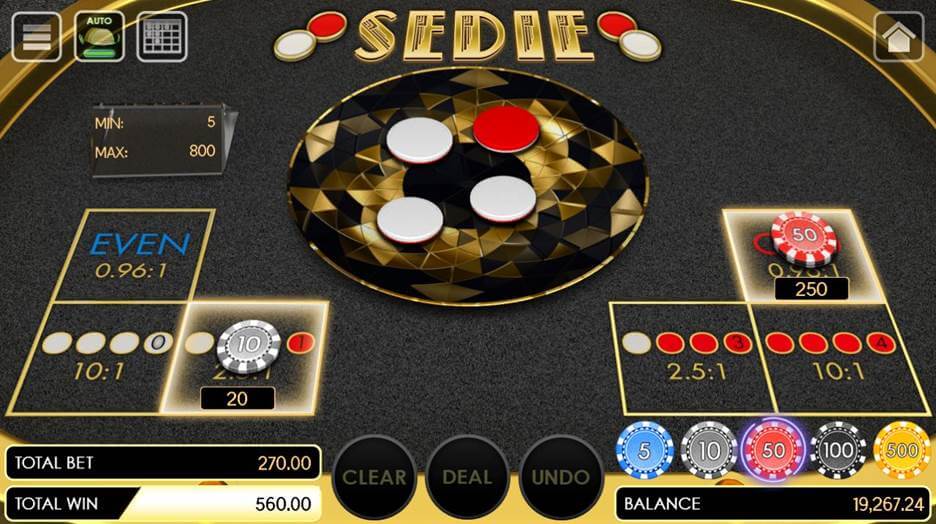
Figure 3: Sedie game with the winning pattern revealed
After the round, the winning result will be revealed. All winnings will be highlighted and will be announced with an audio. A winning flier will display with the winning amount.
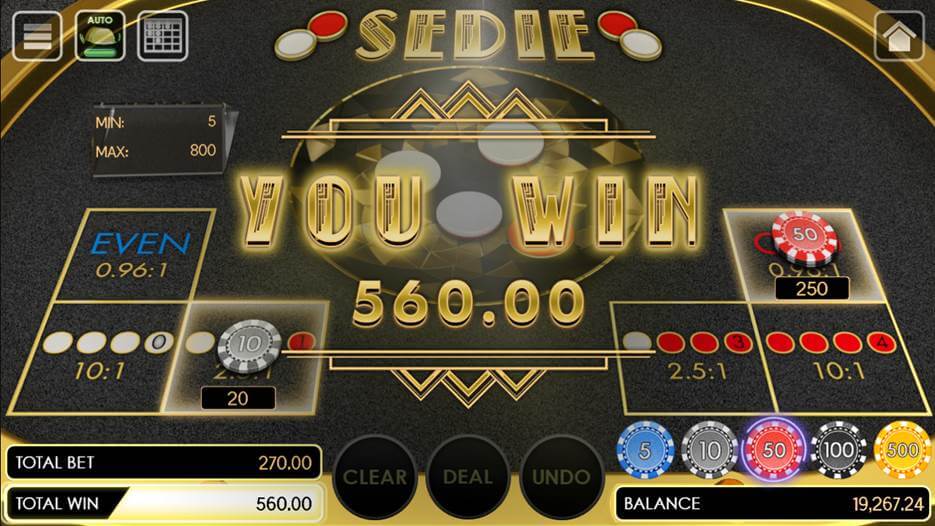
Figure 4: Sedie game winning flier
System Auto Settlement
In the case where a player encounters a network connection issue or any other issue that block or stop the gameplay after "DEAL" button has been clicked, the system will wait for 24 hours for the player to resume the game otherwise it will automatically end the game.
Sedie Table Limit
These are the table limits for Sedie game:
- 5 – 250
The minimum bet is 5 and the maximum bet is 250 - 100 – 2000
The minimum bet is 10 and the maximum bet is 2000 - 300 – 5000
The minimum bet is 300 and the maximum bet is 5000
After the round, the winning result will be revealed. All winnings will be highlighted and will be announced with an audio. A winning flier will display with the winning amount.
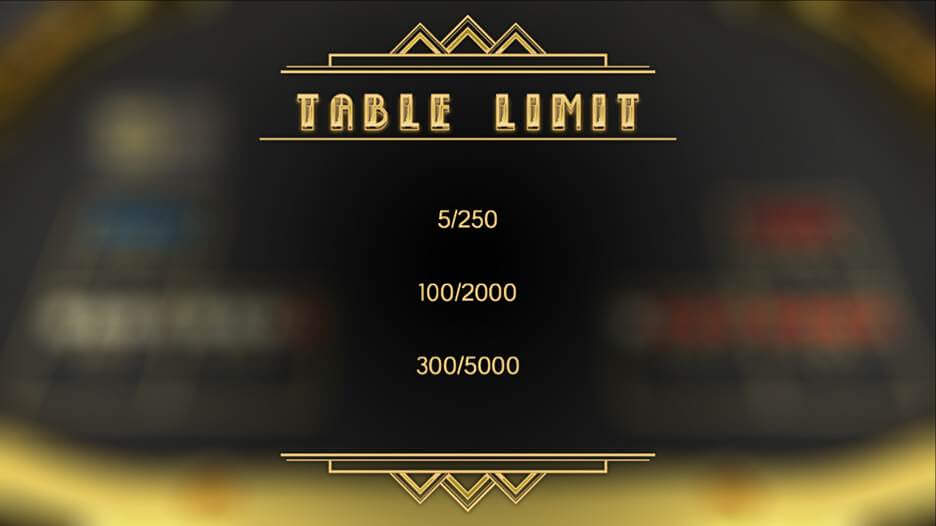
Figure 5: Sedie Table limit
Note: This list of values for table limit are configurable.
User Interface
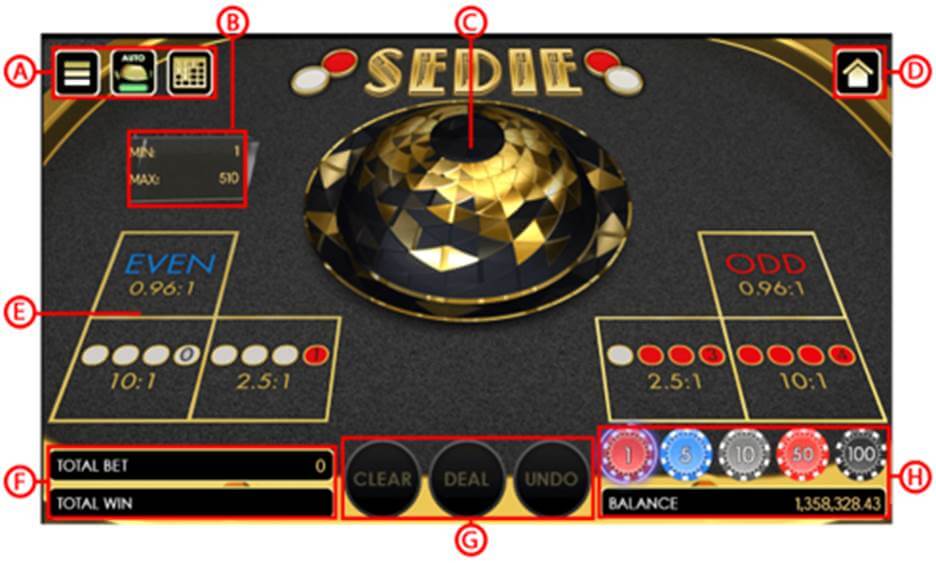
Figure 6: Sedie Game user interface
Parts of the Game:
A. Setting Button
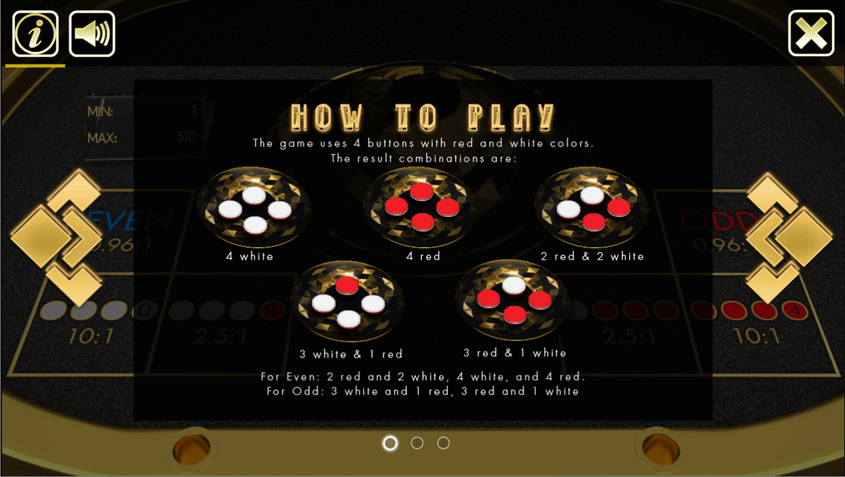
Figure 7: Sedie inside the game menu
- Game Menu - this used to display the game information and the volume adjustment.
- Auto Shake Button -this is for the player’s option if the system will be the one to shake the bowl.
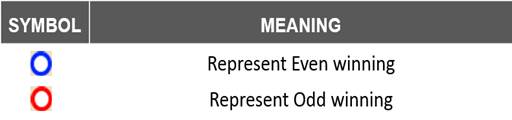
B. History Tables – this contains two divided tables thatdisplays the results of the previous rounds.
- Bead Road History Table - this is consists of 21 columns and 6 rows that will display beads representing betting options combinations based on winning results.
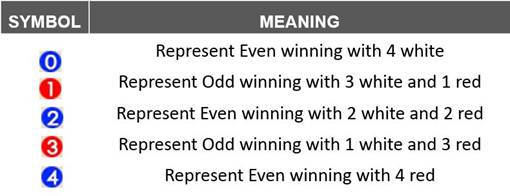
- Big Road History Table
- able consists of 21 columns and 6 rows that will display Odd and Even winning results.
C. Min and Max Table Limit Information – this displays minimum and maximum bet limit. It will show as a small textbox.
D. Plate, Bowl, and Buttons Display – this is the area where the player or the system shakes the plate and bowl with the buttons inside.
E. Home Button - this button is used to close the current game and go back to the Games’ lobby.
F. Betting Options - this is the area where the player places his bets.
G. Total Bet and Total Win Information - Total Bet Information displays the total bet that the player set for the round. Total Win Information displays the total winnings when the player collects it or finished all the available pre-round.
H. Action Buttons - these are the game controllers:

Figure 8: Sedie game controllers
- Deal Button – This button starts the round with the bets placed by the player.
- Undo Button – This button undone the last chip that was placed on a betting options.
- Clear Button – This button clears all the chip(s) that was placed on the betting options.
- New Game Button – This button starts a new round of game. It will be enabled at the end of each round and replace the “Clear” button.
- Rebet Button
– This button lets the player to bet the same bets from the previous round. It will be enabled at the end of each round and replace the “Deal” button. Once it was clicked, the Rebet will go back to Deal.
I. Chip Selection and Balance Information – Chip Selection displays the chips options that will be placed to the betting options area. Balance Information displays the current balance of the player.
Betting Options and Payout
These are the following multiplier payout amount of Sedie:
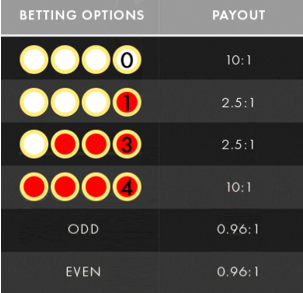
Figure 9: Paytable of Sedie
Article Number: 1784
Author: May 21, 2019
Last Updated: Jun 25, 2019
Author: Editor Taiwan [cttwEditor@titansoft.com.sg]
Online URL: https://help.sbobet.com/article/sedie-betting-rules-1784.html