What are the mobile game controls used in I Love Christmas?
Mobile Controls
- Spin – Play a round (=spins the reels)

- Stop – Stop spin

- Skip – Skip animations

- Auto-Bet – Opens Auto-bet settings

- Paytable – Opens the pay table pages

- Home/Lobby – Exit game to home/lobby of host

- Settings – Opens Settings page of game

- Bet – Display the stake for the current round. When clicked, opens the bet value drop box.
- Balance – Display player balance

- Win – Display current round total win

- Clock – Display time of current player session

All game settings and info pages such as help and paytable are accessed by pressing the settings icon.
Setting Auto-bet - Mobile
The player needs to press the auto-bet floating icon, right above the spin icon, in order to enter the auto-bet settings page.
Auto-bet settings can also be reached through the game settings (Settings=>Auto-bet)
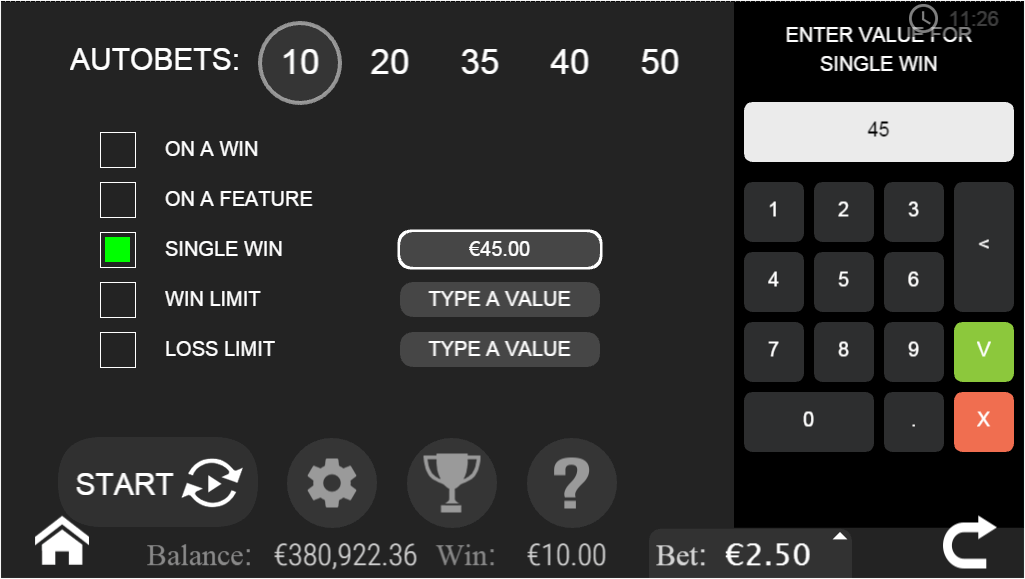
Game Auto-bet screen
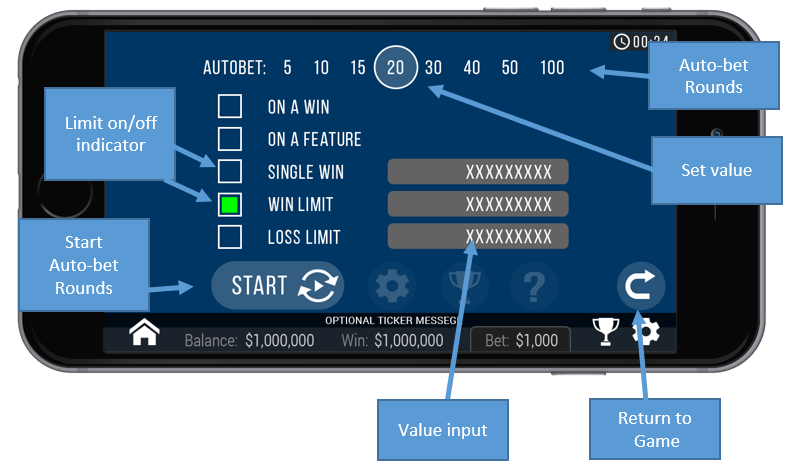
Generic Auto-bet scheme
Auto-Bets Limits:
- Loss Limit (numeric value)
- Pauses the auto bet function (see below) when the total loss of the
user so far (SUM(bet)-SUM(win)) >= (numeric value)
- Single Win (numeric value)
- Pauses the auto bet function (see below) when a single win payout >= (numeric value)or more. - Win Limit (numeric value)
- Pauses the auto bet function (see below) when the total Win of the user so far (SUM(bet)-SUM(win)) <= (numeric value) - Stop on Win - When any single round results with a win of any size, auto-bet deactivates. Free spins count as one round, so if the main ticket didn’t win any line but did win free spins, and one of the free spins wins any amount, the round counts as a win.
- Stop on a Feature - When free spins are won or a bonus game, auto bet deactivates.
- Each limit can be turned on or off by pressing on the onoff button next to it.
- To set the number of auto-bets rounds, the player picks the desired value from the top list of optional values by pressing on the desired value. The selection mark is set on the last settings.
- When a limit is reached and the Auto-bet stops, a message pops in the center of the screen reading according to the limit:
- "Loss limit reached"
- "Win limit reached"
- "Single win reached"
- "Win reached"
- "Feature reached"
Message will fade out after 5 sec or on any tapping (screen or button pressed)
To exit the auto bet panel, the player can:
- Start the auto-bet rounds by pressing “START”.
- Exit auto-bet completely by pressing the “return to game” button on the right.
Auto-Bet Active View:
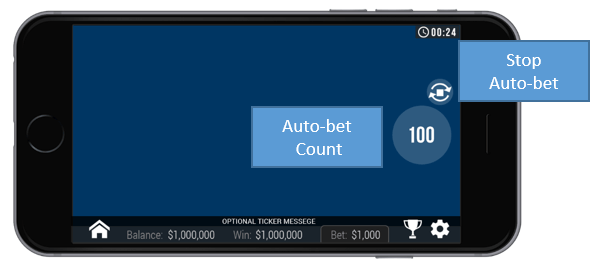
When the auto-bet is activated, the player is returned to the game view.
The
spin button is replaced by a counter displaying the remaining auto-bet
rounds. The auto-bet button is changed into “Stop auto-bet” icon.
Clicking on the “Stop auto-bet” or on the counter, stops the auto bet and returns to regular game mode.
Game Settings Page
- Setting sound – Ambience Sound – enabling or disabling background music.
- Setting sound –Sound effects – enabling or disabling the sound effect.
- Full Screen – enabling or disabling Full screen mode- this option is not available on iOS.
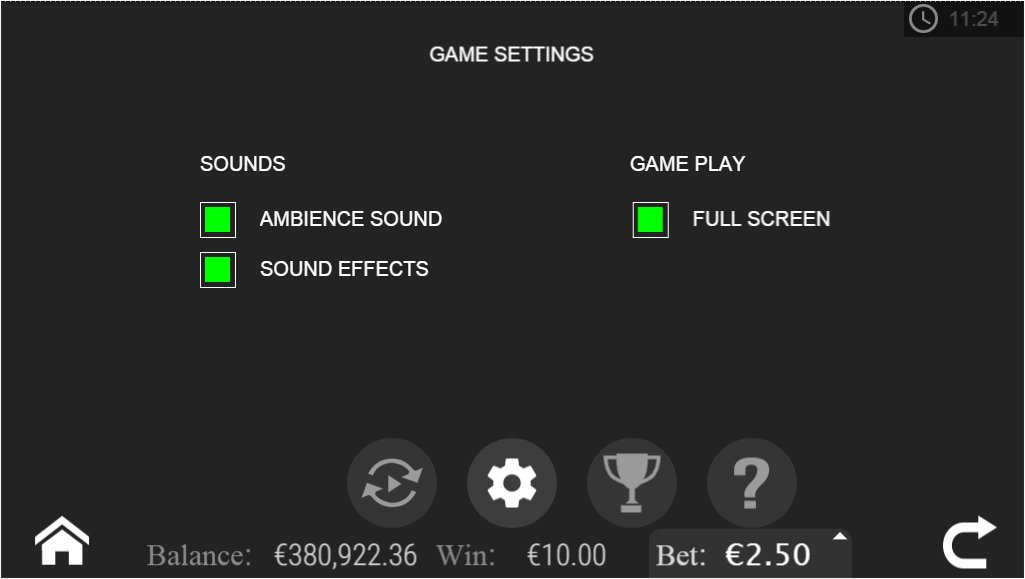
Generic game setting, may change from game to game or between platforms
Article Number: 1021
Author: Dec 6, 2016
Last Updated: Jun 27, 2017
Author: Editor Taiwan [cttwEditor@titansoft.com.sg]
Online URL: https://help.sbobet.com/article/what-are-the-mobile-game-controls-used-in-i-love-christmas-1021.html